Problem
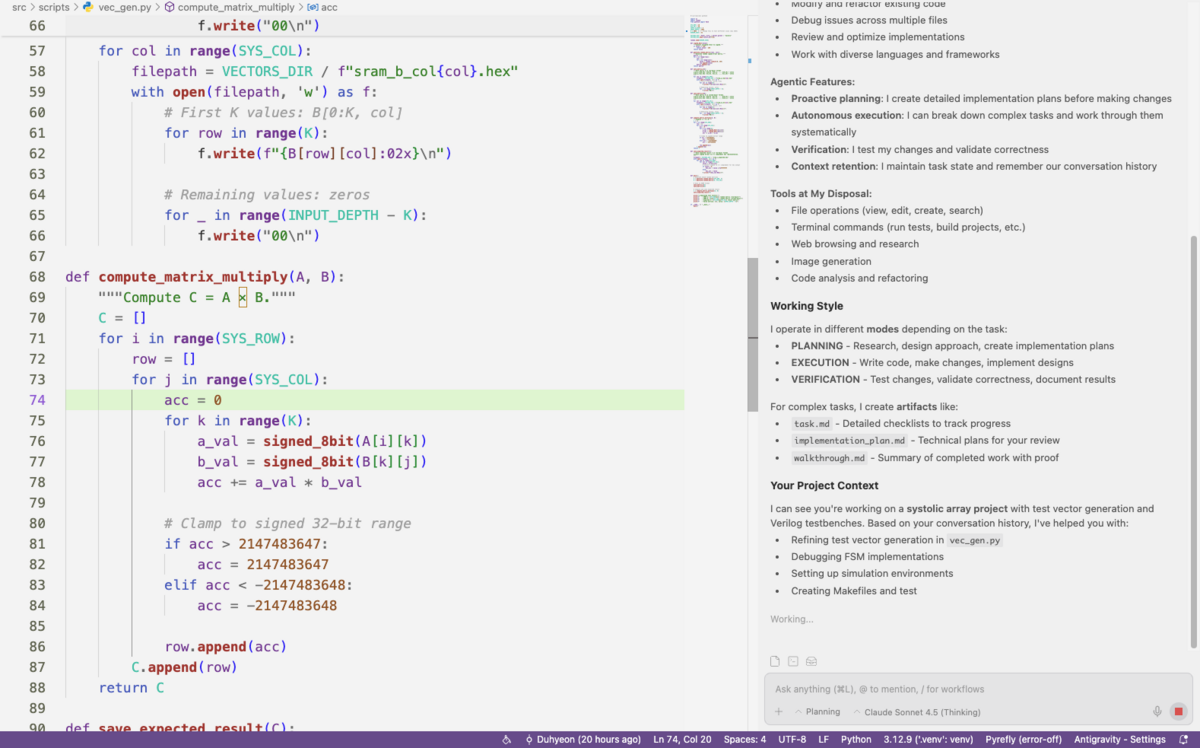
The problem i’ve encountered was the Antigravity Agent Chat UI representing to small fonts relatively with code viewer window.
But if i size up the editor font, the code viewer winodw becomes to big while Agent Chat UI is satisfied.
So It has an Unbalance btw those two.
Use Custom CSS and JS Loader
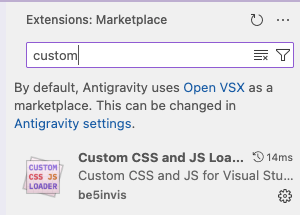
Custom CSS and JS Loader is extension to override the Editor(Cursor, Antigravity, VS Code) Components.
The editor is also composed of HTML, CSS, JS we could use this extension to custom ours.
Antigravity MARKETPLACE Setting
If you first search for Custom CSS and JS Loader in Antigravity Extenstion tab, it might not apper.
You need to change some settings.
cmd + ,EditorTab- Fill the
MARKETPLACE URLwith below URLs.
Marketplace Item URL :
https://marketplace.visualstudio.com/items
Marketplace Gallery URL :
https://marketplace.visualstudio.com/_apis/public/gallery
Connecting to Editor
- Install Extension Search and install
Custom CSS and JS Loaderin Antigravity marketplace. - Create CSS file Create
my-style.cssfile anywhere you want. (Desktop is okay) - Modify
settings.jsonAdd your CSS file path like this. Must usefile://protocol.
"vscode_custom_css.imports": [
    "file:///Users/kimduhyeon/Desktop/my-style.css"
]
- Enable & Restart - Press
Cmd+Shift+P.- Run command:
Enable Custom CSS and JS. - Restart Antigravity. (If you see “corrupt” message, just ignore it. It’s normal.)
- Run command:
my-style.css
for VS Code
/* Directory viewer */
/* .monaco-workbench .part.sidebar .content {
    font-size: 17px !important;
} */

/* Chat UI */
.interactive-item-container {
    font-size: 17px !important;
}
for Antigravity
[id="antigravity.agentPanel"] {
    /* zoom: 1.2; */
    transform: scale(1.1);
    transform-origin: top left;
    width: 90.9% !important;  /* 1 / 1.1 */
    height: 90.9% !important; /* Adjust with correct factors(currently 1.1) */
}
Toggle Developer Tools
- Find out the element CSS in Editor to fully customize
- Copy the target element and ask the chat llm how to customize it with above process.
// prompts

How can i modify below elements to make it dark theme

(elements code)

using (above contents cmd+v)